
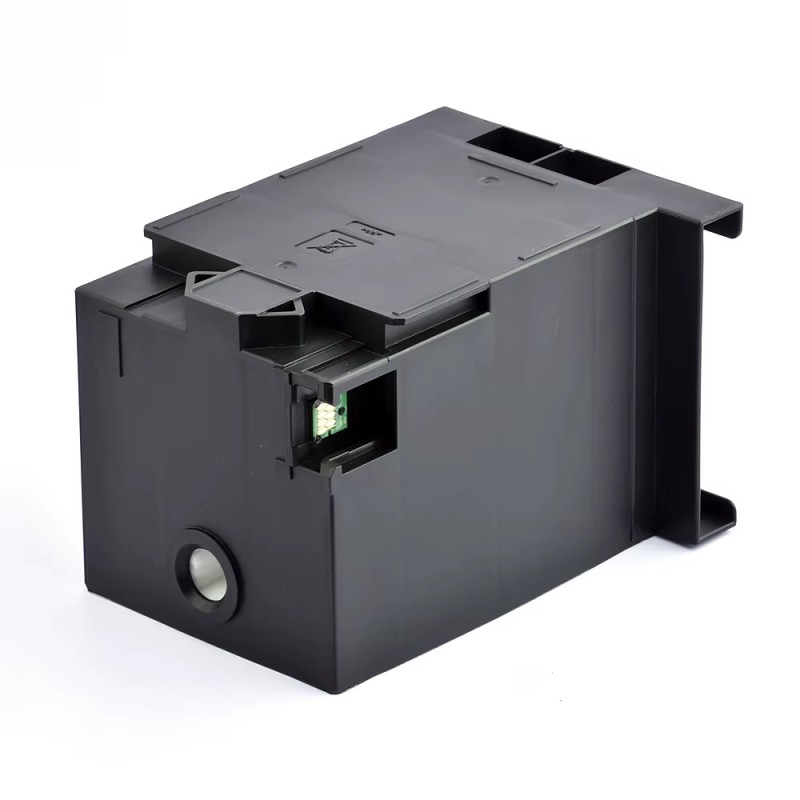
Solving the problem of the ink tank being full in an Epson WorkForce Pro WF-C8610 printer – How to replace the Maintenance Box
Solving the Ink Box Problem on the Epson WF-C8610 Printer and How to Replace the Maintenance Box
A full maintenance box is a common problem in some professional Epson printers. The Epson WF-C8610 uses a replaceable maintenance box instead of the internal sponge found in some smaller printers.
When this box is full, the printer stops working and displays a maintenance message.
In this guide, we will explain the cause of the problem and how to easily resolve it so your printer can work again.
What is the Maintenance Box?
The maintenance box is a component inside the printer that collects excess ink resulting from printhead cleaning and automatic maintenance processes.
This occurs during:
Printhead cleaning
First printer startup
Routine maintenance
In some older printers, ink was absorbed by an internal sponge. However, in the Epson WorkForce Pro WF-C8610, it is collected in a special maintenance box called:
Maintenance Box
Why does the maintenance message appear?
The printer has an electronic counter that measures the amount of ink collected in the maintenance box.
When the counter reaches the limit specified by Epson, the following message appears:
Maintenance Box Full
or
Service Required
This means the ink cartridge is full and needs to be replaced.
Maintenance Box Part Number
The international part number for the maintenance box used in this printer is:
T6714 – Maintenance Box
It is used in several printers in the WorkForce Pro series.
How to fix the problem in the Epson C8610
The solution for this printer is simple and does not require resetting software.
Steps
Purchase a new T6714 Maintenance Box.
Open the cover of the printer's maintenance box.
Remove the ink-filled box.
Installate the new box in the same location.
Turn the printer back on.
After installing the new box, the counter will reset automatically because the box contains an electronic chip.
Can the counter be reset without replacing the box?
In most cases, this is not recommended because the system is designed to work with a new maintenance box.
Some technicians may use special maintenance software to temporarily reset the counter, but this is not the best long-term solution.
Tips to Reduce Maintenance Box Filling
To extend the life of the maintenance box on your Epson WorkForce Pro WF-C8610 printer:
Avoid running printhead cleaning cycles frequently.
Use high-quality ink.
Print regularly to prevent printhead clogging.
Note: A full ink box on your Epson WorkForce Pro WF-C8610 printer is not a serious problem. This can be easily resolved by replacing the T6714 maintenance box, after which the printer will return to normal operation without the need for manual resetting.